Smart Home Security Cameras: What to Know Before Buying
A smart security camera can help you monitor an entrance, check on pets, receive motion alerts, or review activity around your home. However, cameras differ significantly in power requirements, recording options, privacy controls, video quality, and ongoing costs.
The best camera is not necessarily the one with the highest resolution or the longest feature list. It is the one that suits the location, records the events you care about, works reliably with your network, and provides storage and privacy options you understand.
This buyer’s guide explains the main features to compare before purchasing a smart home security camera.
What Smart Security Cameras Do
A smart security camera captures video and connects to an app, recorder, local network, or online service. Depending on the model, it may allow you to:
- Watch live video from a phone or computer
- Receive motion notifications
- Record short event clips
- Record continuously
- Detect people, packages, vehicles, or animals
- Hear what is happening near the camera
- Speak through a built-in speaker
- View activity at night
- Save recordings locally or in the cloud
- Share access with household members
- Display video on a compatible smart display
- Activate lights, alarms, or other smart home routines
A camera can help you observe and document events, but it cannot guarantee that an incident will be prevented. Treat it as one part of a broader home security plan that may also include good locks, outdoor lighting, alarms, and safe household habits.
Begin With a Clear Purpose
Before comparing models, decide what you want the camera to do.
Possible goals include:
- Monitoring the front entrance
- Watching a driveway
- Checking on a pet
- Monitoring a child’s play area
- Receiving alerts when someone enters the garden
- Recording continuously in a shop or home office
- Checking whether a package arrived
- Monitoring a garage or outbuilding
- Viewing a room while traveling
Your goal determines the features you need. A camera used to check on a pet may not need weather protection, while an outdoor entrance camera must handle changing light, rain, and temperature.
Indoor vs. Outdoor Cameras
Indoor and outdoor cameras may look similar, but they are built for different environments.
Indoor cameras
Indoor cameras are designed for protected spaces. They are often:
- Smaller and lighter
- Easier to place on a shelf
- Powered through a nearby outlet
- Equipped with privacy shutters or app-based privacy modes
- Less expensive than comparable outdoor models
Useful indoor locations include living rooms, entry halls, pet areas, and home offices.
Do not place indoor cameras in bathrooms, guest sleeping areas, or other locations where people reasonably expect privacy.
Outdoor cameras
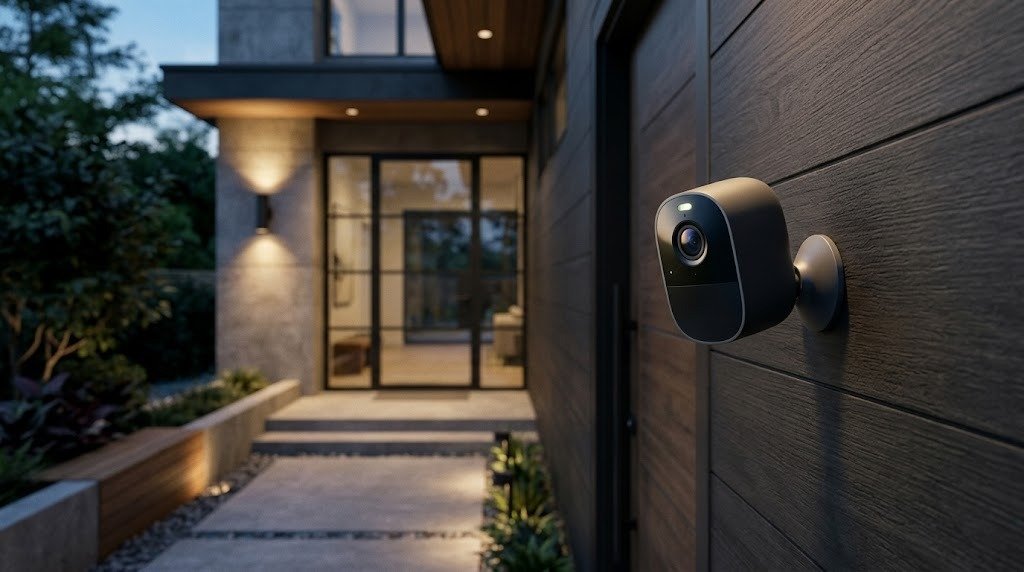
Outdoor cameras are built to tolerate environmental exposure. Depending on the model, they may resist:
- Rain
- Dust
- Humidity
- Direct sunlight
- Hot or cold temperatures
Outdoor cameras often include stronger mounting hardware, brighter lights, louder sirens, or improved night-viewing features.
Can an indoor camera be placed outside?
Only if the manufacturer specifically approves it for the intended environment. A covered porch does not necessarily protect an indoor camera from moisture, condensation, dust, or extreme temperatures.
Using an indoor-only product outside can create reliability and electrical-safety problems and may affect the warranty.
Wired vs. Wireless Cameras
The terms wired and wireless can be confusing because they may refer to either the camera’s network connection or its power source.
A camera described as wireless may still need a power cable.
Plug-in Wi-Fi cameras
These cameras connect to the network over Wi-Fi but receive continuous power through a cable.
Advantages include:
- No battery charging
- Reliable power
- Support for longer recordings
- More frequent motion detection
- Potential support for continuous recording
Disadvantages include:
- Need for a nearby outlet
- Visible power cable
- More limited placement
- Need to protect outdoor connections properly
Battery-powered Wi-Fi cameras
Battery cameras connect wirelessly and do not require a nearby power outlet.
Advantages include:
- Flexible placement
- Easier installation
- Fewer visible cables
- Suitability for locations where wiring is difficult
Disadvantages include:
- Batteries require charging or replacement
- Frequent activity may reduce battery life
- Recording may begin only after motion is detected
- There can be a delay before recording starts
- Continuous recording is usually impractical
- Cold or hot conditions may affect battery performance
Advertised battery life is an estimate. Actual performance depends on motion frequency, clip length, signal strength, temperature, night vision, live viewing, and other settings.
Ethernet cameras
Some cameras connect to the network through an Ethernet cable. This can provide a stable connection where Wi-Fi is weak or congested.
An Ethernet camera may still require a separate power supply unless it supports power and data through the same cable.
Power over Ethernet cameras
Power over Ethernet, often called PoE, can deliver both network data and electrical power through a compatible Ethernet connection.
Potential benefits include:
- Stable wired networking
- No separate power outlet at the camera
- Support for continuous recording
- Centralized power and recording equipment
Potential disadvantages include:
- Cable installation
- Need for compatible networking equipment
- More complex setup
- Possible need for a professional installer
Before buying, determine whether “wired” refers to power, network data, or both.
Video Resolution
Resolution describes the number of pixels in the video. Higher resolution can provide more detail, but it does not guarantee a clearer or more useful image.
Common consumer options include:
- Full HD
- 2K-class video
- 4K-class video
Resolution is only one factor
Video quality also depends on:
- Image sensor quality
- Lens quality
- Lighting
- Compression
- Frame rate
- Dynamic range
- Camera placement
- Viewing distance
- Motion
- Wi-Fi performance
- Storage settings
A high-resolution camera pointed at a bright window or mounted too far from the subject may provide less useful footage than a lower-resolution camera installed correctly.
Costs of higher resolution
Higher-resolution video may require:
- More upload bandwidth
- More local storage
- Larger cloud storage plans
- Faster playback devices
- Longer download times
- More battery power in some designs
Look at sample recordings when possible, especially footage captured at night and in difficult lighting. Promotional still images may not reflect real-world video performance.
Night Vision
Night vision allows a camera to record in low-light or dark conditions.
Infrared night vision
Infrared cameras use built-in infrared lighting to produce an image in darkness. The resulting video is usually black and white.
Infrared performance can be affected by:
- Windows
- Nearby walls
- Reflective surfaces
- Spiderwebs
- Rain, fog, or dust
- Objects very close to the lens
A camera placed behind glass may reflect its own infrared light, making the view difficult to see.
Color night vision
Color night vision relies on available light, a sensitive image sensor, a spotlight, or a combination of these.
It may provide useful color information, but image quality depends heavily on lighting conditions. A camera that advertises color night vision may still switch to black-and-white infrared mode in very dark conditions.
What to check
Ask:
- Does the camera use infrared, a spotlight, or both?
- Can the infrared lights be disabled?
- Can spotlight brightness be adjusted?
- Does the light turn on automatically?
- Will the camera be mounted behind a window?
- How does the camera handle faces near the lens?
- Does night mode create glare at the planned location?
Motion Detection
Motion detection tells the camera when to record or send an alert.
Basic motion detection may respond to any visual change, including:
- People
- Vehicles
- Animals
- Moving tree branches
- Shadows
- Headlights
- Rain or snow
- Insects near the lens
Important motion features
Look for:
- Adjustable sensitivity
- Custom activity zones
- Detection schedules
- Alert frequency controls
- Cooldown periods between alerts
- Different settings for people, vehicles, and animals
- The ability to exclude busy roads or neighboring property
Activity zones can reduce unwanted notifications by telling the camera to pay attention to selected parts of the image.
Detection range is not the same as identification range
A camera may detect movement at a distance without capturing enough detail to identify what caused it. Consider where people or vehicles will appear in the frame and how large they will look.
Person Detection and Other Smart Alerts
Person detection attempts to distinguish people from general movement. It can reduce alerts caused by trees, animals, or changing light.
Some cameras may also classify:
- Vehicles
- Animals
- Packages
- Familiar faces
- Smoke or alarm sounds
Questions to ask about intelligent detection
Before relying on a feature, check:
- Does it work locally or require cloud processing?
- Is a subscription required?
- Can the detection type be selected?
- Can alerts be limited to certain zones?
- How quickly are notifications delivered?
- Does processing continue if the internet is unavailable?
- Can recorded detection data be deleted?
- Is facial recognition optional?
Automated classifications can make mistakes. Do not treat a smart alert as perfect confirmation of an event.
Two-Way Audio
Two-way audio combines a microphone and speaker so you can listen and speak through the camera.
It can be useful for:
- Speaking to visitors
- Giving delivery instructions
- Checking on family members
- Talking to pets
- Warning someone that an area is monitored
What affects audio quality?
Consider:
- Speaker volume
- Microphone clarity
- Wind-noise reduction
- Background noise
- Delay between speaking and playback
- Whether communication is simultaneous or push-to-talk
- Echo near walls or enclosed spaces
Be aware of local rules concerning audio recording. In some locations, recording conversations may be regulated differently from recording video.
Local vs. Cloud Storage
Storage determines where recorded video is kept and how you access it.
Local Storage
Local recordings may be saved to:
- A memory card inside the camera
- A home hub
- A network video recorder
- A local server or network storage device
Advantages of local storage
- Reduced dependence on a monthly subscription
- Greater control over recordings
- Potential access when internet service is unavailable
- Less video sent to an external cloud service
- Possible support for continuous recording
Disadvantages of local storage
- Storage hardware must be maintained
- Memory cards can wear out
- A stolen or damaged camera may take its recordings with it
- Remote viewing may still require an online account
- Backups may be your responsibility
- Setup can be more complicated
Check whether storage is encrypted and whether recordings can be viewed only through the manufacturer’s app.
Cloud Storage
Cloud storage sends recordings to an online service managed by the manufacturer or a service provider.
Advantages of cloud storage
- Recordings may remain available if the camera is stolen
- Remote access is usually convenient
- Setup may be simpler
- Video history can be available across several devices
- Intelligent detection features may be included
Disadvantages of cloud storage
- A subscription may be required
- Upload bandwidth is used
- Recording may depend on internet availability
- Privacy depends partly on the provider’s security practices
- Retention may be limited
- Features may change with the service plan
Some cameras support both local and cloud storage. This can provide flexibility, but verify whether both methods can operate simultaneously.
Subscription Considerations
The purchase price may not represent the full cost of owning the camera.
A subscription might be required for:
- Recorded video history
- Longer retention
- Person or package detection
- Facial recognition
- Multiple-camera support
- Rich notifications with images
- Emergency-contact features
- Cloud backup
- Downloading or sharing clips
Calculate the long-term cost
Before buying, ask:
- Which features work without a subscription?
- Is live viewing free?
- Can the camera save motion events locally?
- How long are recordings retained?
- Is pricing per camera or per household?
- Does the price increase with additional cameras?
- Can recordings be downloaded before they expire?
- What happens when the subscription ends?
- Can the provider change or discontinue the plan?
- Is a free trial automatically converted into a paid plan?
Compare the total expected cost over several years, including subscriptions, batteries, storage cards, hubs, and installation.
Privacy Features
A security camera protects part of your home, but it can also create privacy concerns. Consider who can view the camera and how recordings are handled.
Useful privacy controls
Look for features such as:
- A physical privacy shutter
- A hardware microphone switch
- Camera-off schedules
- Privacy zones that block parts of the image
- End-to-end encryption where supported
- Encryption during transmission and storage
- Multifactor authentication
- Login notifications
- Access history
- Individual household accounts
- Separate permissions for viewing and administration
- Controls for deleting recordings and account data
- Indicators showing when recording or live viewing is active
A software “off” setting may be convenient, but a physical shutter provides visible confirmation that the lens is blocked.
Account security
Protect the camera account with:
- A strong, unique password
- Multifactor authentication
- Updated recovery information
- Individual accounts for household members
- Prompt removal of former users
- Regular reviews of shared access
Do not share one administrator password with everyone.
Camera placement and other people
Avoid pointing cameras into:
- Bathrooms
- Guest sleeping areas
- Neighbors’ windows
- Private areas outside your property
- Spaces where household members have not agreed to monitoring
Tell family members, guests, caregivers, and workers about indoor monitoring where appropriate. Follow local privacy, workplace, tenancy, and audio-recording laws.
Weather Resistance for Outdoor Cameras
An outdoor camera should be rated for the environment in which it will operate.
Understand environmental ratings
Many products use an IP rating to describe resistance to dust and water. Do not rely on the word “weather-resistant” alone. Check the manufacturer’s explanation of the rating and installation restrictions.
Also verify:
- Minimum operating temperature
- Maximum operating temperature
- Humidity limits
- Resistance to direct rain
- Suitability for snow or ice
- Protection from dust
- Whether the power adapter can be outdoors
- Whether cable connections require a weatherproof cover
- Whether the camera can remain in direct sunlight
A weather-resistant camera may still require sheltered connectors or a protected power adapter.
Consider the mounting surface
The mount must be appropriate for:
- Brick
- Concrete
- Wood
- Siding
- Plaster
- Metal
- Ceilings or soffits
Use the supplied hardware only where it suits the surface. Avoid drilling near electrical wiring, plumbing, gas lines, or structural components. If you are uncertain, use a qualified installer.
Field of View
Field of view describes how much of an area the camera can see.
Wide field of view
A wide view can cover more space and may reduce the number of cameras needed. However, objects may appear smaller, and very wide lenses can distort the edges of the image.
Narrow field of view
A narrower view can make a particular area appear larger and more detailed. It may be appropriate for a gate, doorway, hallway, or specific approach.
Fixed, adjustable, and moving cameras
Options include:
- Fixed camera: Watches one area continuously.
- Adjustable mount: Allows you to choose the viewing direction during installation.
- Pan-and-tilt camera: Moves remotely or automatically.
- Multi-lens camera: Uses more than one lens to cover a wider area.
A moving camera may provide broad coverage, but it cannot face every direction simultaneously. Check what it records when it is pointed elsewhere.
Plan the view before installation
Use your phone’s camera to preview possible positions. Check whether the location captures:
- Faces approaching the property
- The full doorway or gate
- The ground near package-delivery areas
- Important entry paths
- The correct height for identification
- Minimal neighboring property
- Limited direct sunlight or headlight glare
Installation Considerations
A camera can have excellent specifications and still perform poorly if it is installed incorrectly.
Check the power source
Determine whether the location has:
- A safe indoor outlet
- A weather-protected outdoor outlet
- Existing low-voltage wiring
- An Ethernet connection
- A practical route for a power cable
- Enough sunlight for an optional solar accessory
Do not run indoor-rated power cables or adapters outdoors. Do not create unsafe extension-cord arrangements.
Choose a practical mounting height
The camera should be high enough to discourage easy tampering but not so high that faces appear too small or are visible only from above.
The ideal position depends on the lens, viewing distance, and area being monitored. Test the live view before making permanent holes.
Avoid common image problems
Do not point the camera directly at:
- Bright windows
- Strong outdoor lights
- The rising or setting sun
- Reflective walls
- Moving tree branches
- Busy roads outside the area you want to monitor
Keep the lens clear of roof edges, gutters, leaves, and other nearby objects that may reflect infrared light.
Confirm rental and building rules
If you rent or live in a managed building, check:
- Permission for drilling
- Shared-area camera rules
- Exterior appearance requirements
- Restrictions on recording common areas
- Rules for door-mounted equipment
Use non-permanent mounting options only when the manufacturer approves them and the camera will remain securely attached.
Wi-Fi Requirements
A Wi-Fi camera needs reliable coverage at the installation location—not just elsewhere in the home.
Test the location first
Before buying or mounting the camera:
- Take a phone to the planned location.
- Connect to the intended Wi-Fi network.
- Check whether the connection remains stable.
- Test upload performance or make a video call.
- Repeat the test at the time of day when the network is busiest.
A camera sends video away from itself, so upload performance matters. Multiple cameras uploading at once require more network capacity than one camera.
Check supported Wi-Fi bands
Some cameras support only 2.4 GHz Wi-Fi. Others also support 5 GHz.
In general:
- 2.4 GHz provides better reach and wall penetration.
- 5 GHz may provide higher throughput at shorter distances.
Confirm that the router broadcasts a compatible band and uses a security mode supported by the camera.
Improve weak coverage
If coverage is poor:
- Move the router to a higher, more central location.
- Avoid placing it inside a cabinet.
- Add a properly positioned mesh node or access point.
- Use Ethernet or PoE for compatible cameras.
- Reduce interference.
- Avoid mounting the camera at the extreme edge of Wi-Fi coverage.
A Wi-Fi extender should be placed where it can receive a strong signal, not beside a camera in a complete dead zone.
Consider internet outages
Ask what the camera does when the internet is unavailable:
- Does it continue recording locally?
- Are motion events stored for later upload?
- Does live viewing stop?
- Do notifications stop?
- Do schedules and detection continue?
- Can it reconnect automatically?
Cloud-only cameras may lose recording or remote features during an internet outage.
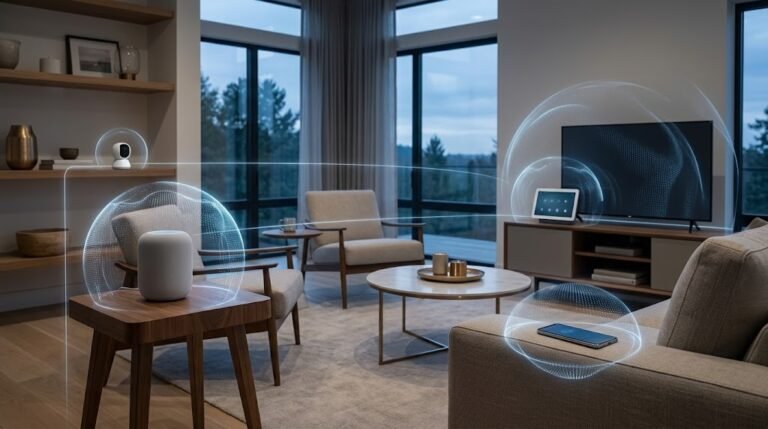
Smart Home Compatibility
If you already use a smart home platform, check whether the camera works with it.
Compatibility can affect whether you can:
- View the camera on a smart display
- Include it in routines
- Use motion as an automation trigger
- Control privacy modes
- Receive alerts through another device
- Share access with household members
Do not rely only on a general “works with” logo. Check which exact camera features are available through the platform. Live viewing may be supported while recording, two-way audio, or advanced alerts remain limited to the manufacturer’s app.
Important Questions to Ask Before Buying
Use these questions to compare cameras:
Purpose and placement
- What area do I need to monitor?
- Is the location indoors or outdoors?
- Will the camera capture useful facial detail?
- Does it need to monitor a broad area or one specific point?
- Am I allowed to install and operate a camera there?
Power and connection
- Is it battery-powered, plug-in, Ethernet, or PoE?
- Does “wireless” refer to the network, power, or both?
- Is there a safe power source?
- Is Wi-Fi strong at the installation location?
- Which Wi-Fi bands and security modes are supported?
- What happens during a power or internet outage?
Recording and storage
- Does it record only after motion or continuously?
- How quickly does recording begin after motion?
- Does it save footage locally, in the cloud, or both?
- Can recordings continue without internet access?
- How long are recordings retained?
- Can clips be downloaded and exported?
- What happens when local storage becomes full?
Features
- Does person detection require a subscription?
- Can I create activity and privacy zones?
- Does it provide two-way audio?
- How does it perform at night?
- Can alert sensitivity and schedules be adjusted?
- Does it work with my smart home platform?
Security and privacy
- Does the account support multifactor authentication?
- How are recordings encrypted?
- Can I see which users have access?
- Can household members have separate accounts?
- Can I delete recordings and account information?
- How long will the manufacturer provide updates?
- Is there a physical privacy shutter or microphone control?
Cost
- Which features work without a subscription?
- Is subscription pricing per camera or per home?
- Are a hub, recorder, storage card, or special cable required?
- How often will batteries need attention?
- Will professional installation be necessary?
Common Mistakes Buyers Make
Choosing only by resolution
More pixels do not guarantee better footage. Lighting, lens quality, placement, compression, and motion handling also matter.
Ignoring subscription fees
A low purchase price can become expensive if recording history or person detection requires an ongoing plan.
Assuming wireless means cable-free
A Wi-Fi camera may still require a power cable. Confirm both its network and power requirements.
Buying an indoor camera for outdoor use
Indoor products may not tolerate rain, condensation, dust, or temperature changes.
Installing the camera before testing Wi-Fi
Test connectivity at the exact location first. Outdoor walls and distance can weaken a signal that appears strong inside.
Mounting the camera too high
An extremely high position may show the tops of people’s heads rather than useful facial detail.
Pointing through a window at night
Infrared light can reflect from the glass and obscure the image. Test night performance before relying on this arrangement.
Overlooking upload bandwidth
Cloud cameras send video through your internet connection. Several cameras recording simultaneously can place greater demands on upload capacity.
Ignoring detection zones
A camera pointed at a road, tree, or busy sidewalk may generate frequent unnecessary alerts. Use activity zones and sensitivity controls.
Using one shared account
Shared credentials make it difficult to control access. Create individual household accounts where possible.
Skipping security updates
A camera is a network-connected computer. Keep its firmware, app, hub, and associated accounts updated.
Covering too much area with one camera
A very wide view may show the entire garden but provide little useful detail. Two well-positioned cameras may be more effective than one extremely wide camera.
Forgetting about failure scenarios
Consider what happens if the power, Wi-Fi, internet service, storage card, cloud account, or manufacturer’s service becomes unavailable.
Smart Security Camera Buyer’s Checklist
Intended use
- Incomplete to-do itemI know the specific area I want to monitor.
- Incomplete to-do itemI have decided whether event recording or continuous recording is needed.
- Incomplete to-do itemI know whether people, packages, vehicles, or animals should trigger alerts.
- Incomplete to-do itemThe camera’s use complies with local rules and household expectations.
Location and construction
- Incomplete to-do itemThe camera is rated for indoor or outdoor use as required.
- Incomplete to-do itemIts operating-temperature range suits the location.
- Incomplete to-do itemOutdoor power and cable connections will be properly protected.
- Incomplete to-do itemThe mounting hardware is appropriate for the surface.
- Incomplete to-do itemThe planned view avoids unnecessary neighboring or private areas.
- Incomplete to-do itemNight vision will not be blocked by glass or nearby reflective surfaces.
Power and networking
- Incomplete to-do itemI understand whether the camera uses batteries, a plug, Ethernet, or PoE.
- Incomplete to-do itemA safe power source is available.
- Incomplete to-do itemWi-Fi is reliable at the exact installation location.
- Incomplete to-do itemThe camera supports my router’s Wi-Fi band and security mode.
- Incomplete to-do itemMy internet connection has suitable upload capacity.
- Incomplete to-do itemI understand what happens during an internet outage.
Video and detection
- Incomplete to-do itemThe resolution is suitable for the viewing distance.
- Incomplete to-do itemThe field of view covers the intended area.
- Incomplete to-do itemNight performance suits the location.
- Incomplete to-do itemMotion sensitivity and activity zones are adjustable.
- Incomplete to-do itemRequired person, package, vehicle, or animal detection is included.
- Incomplete to-do itemThe notification delay and recording behavior are acceptable.
- Incomplete to-do itemTwo-way audio is available if needed.
Storage and cost
- Incomplete to-do itemI know whether recordings are stored locally, in the cloud, or both.
- Incomplete to-do itemI understand the recording-retention period.
- Incomplete to-do itemI can export important recordings.
- Incomplete to-do itemI have checked subscription requirements.
- Incomplete to-do itemI have calculated the expected long-term cost.
- Incomplete to-do itemI know whether a hub, memory card, recorder, or installation service is required.
Privacy and security
- Incomplete to-do itemThe account supports a strong, unique password.
- Incomplete to-do itemMultifactor authentication is available.
- Incomplete to-do itemHousehold members can use separate accounts.
- Incomplete to-do itemI understand how video and audio are stored.
- Incomplete to-do itemI can delete recordings and revoke shared access.
- Incomplete to-do itemThe manufacturer provides software updates.
- Incomplete to-do itemPrivacy zones, shutters, or schedules are available if needed.
- Incomplete to-do itemThe camera will not be installed in an inappropriate private area.
Frequently Asked Questions
1. Is a wired or wireless security camera better?
A wired network connection is generally more stable and can be well suited to continuous recording. A battery-powered wireless camera is easier to install and reposition but requires charging and may record only after detecting activity. A plug-in Wi-Fi camera offers a middle option: wireless data with continuous power.
2. Do all smart security cameras require a subscription?
No. Some support local storage or provide basic features without a subscription. Others require a paid plan for recording history, intelligent detection, or cloud storage. Check exactly what remains available without payment before buying.
3. Can a security camera continue recording without internet access?
It depends on the storage design. A camera with a memory card, hub, or local recorder may continue saving footage while the internet is unavailable. A cloud-only camera may stop uploading and could lose some recording, notification, or remote-viewing features.
4. How much video resolution do I need?
Choose resolution based on the area, distance, lighting, and level of detail you need. Higher resolution can be useful for larger spaces or digital zoom, but it requires more bandwidth and storage. Lens quality, night performance, and camera placement are equally important.
5. Where should an outdoor security camera be placed?
Place it where it captures the approach to an entrance, driveway, gate, or other important area without unnecessarily recording neighboring property. It should be difficult to tamper with but not so high that faces become unrecognizable. Test the live view, night vision, motion zones, and Wi-Fi signal before completing the installation.
Conclusion
Choosing a smart security camera involves more than comparing resolution and price. Begin by defining what you need to monitor, where the camera will be installed, and whether you want motion-based or continuous recording.
Then compare power options, night performance, field of view, detection features, storage, subscriptions, network requirements, and privacy controls. Test Wi-Fi at the planned location and calculate the complete cost, including storage, accessories, and subscriptions.
A carefully selected and correctly positioned camera will be more useful than a feature-heavy model installed without considering power, connectivity, privacy, or long-term support.